
![PQ-Logo-Primary-Lockup-TM-1.png]](https://coachsupport.positiveintelligence.com/hs-fs/hubfs/Logos/PQ-Logo-Primary-Lockup-TM-1.png?height=50&name=PQ-Logo-Primary-Lockup-TM-1.png)
In version 2.6, we’ve introduced several new Coach Dashboard features to help you better understand your clients’ progress, manage new Marketplace opportunities, and make it easier for prospective clients to complete the Saboteur Assessment.
1. Viewing new client insights
2. Viewing Marketplace inbound requests in the Dashboard
3. Directing leads to your Marketplace profile
4. What is my Marketplace Eligibility?
5. Updating your Marketplace profile
New Client Insights
Use View Module Progress to understand how clients are progressing through their PQ program modules.
You can also view aggregated Saboteur Assessment results for your existing clients.
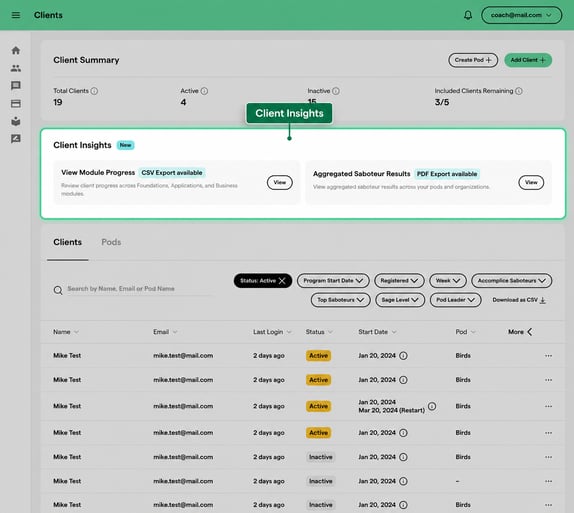
The aggregated results provide a group-level view of your clients’ most common Saboteurs, helping you identify patterns and tailor your coaching approach accordingly.
Only clients who have completed a Saboteur Assessment will be included in the aggregated results.
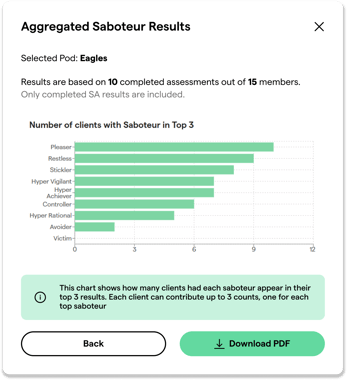
Example of aggregated results from the clients page
View Marketplace Inbound Requests
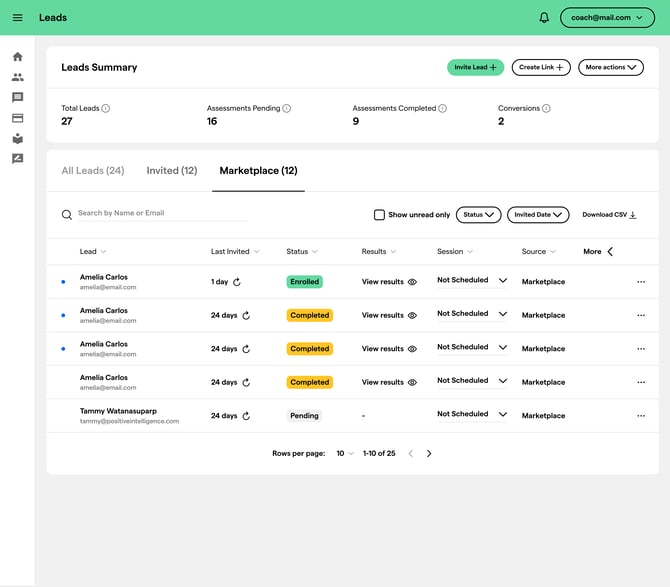
The Leads page now includes Marketplace inbound requests submitted through your PQ Marketplace profile (See eligibility).
When someone completes the Saboteur Assessment through your Marketplace profile:
- Their request will appear in the Marketplace section of your Leads page.
- You will receive an email and in-app notification.
- The request will not count toward your lead limit.
This gives prospective clients another way to connect with you while keeping Marketplace-generated opportunities separate from the leads you invite directly.
Marketplace Eligibility
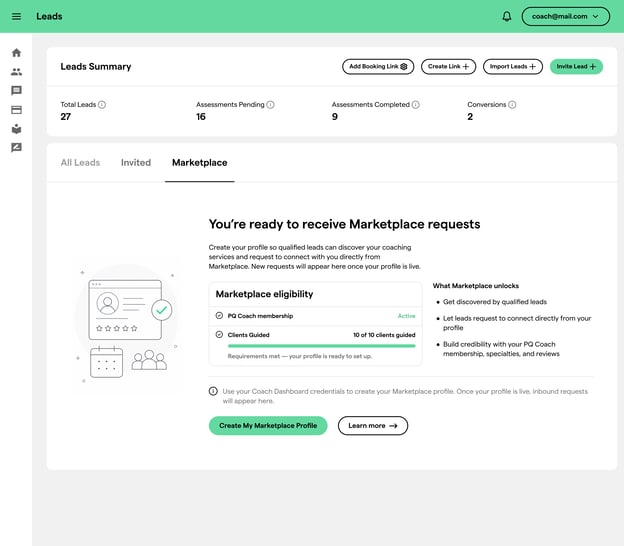
To be eligible for the PQ Marketplace, you must:
- Have guided at least 10 clients.
- Have an active PQ membership.
- Meet the additional eligibility requirements displayed in the Marketplace tab.
Submitting Assessments through Marketplace Profile
Prospective clients can now take the Saboteur Assessment directly from your Marketplace profile.
You now have three ways to invite someone to complete the assessment:
- Send an invitation by email.
- Share a temporary assessment link.
- Direct them to your PQ Marketplace profile.
When someone completes the assessment through your Marketplace profile, their information will appear as a Marketplace inbound request on your Leads page.
Update Your Marketplace Profile
Now is a great time to review and refresh your Marketplace profile so prospective clients can better understand your coaching experience, approach, and areas of expertise.
Consider updating your:
- Profile photo
- Biography
- Coaching specialties
- Credentials and experience
- Introduction or coaching videos
- Other rich media that helps bring your profile to life
Tip: Profiles that include rich media, such as videos, can give prospective clients a more personal and engaging introduction to your coaching style.