
![PQ-Logo-Primary-Lockup-TM-1.png]](https://coachsupport.positiveintelligence.com/hs-fs/hubfs/Logos/PQ-Logo-Primary-Lockup-TM-1.png?height=50&name=PQ-Logo-Primary-Lockup-TM-1.png)
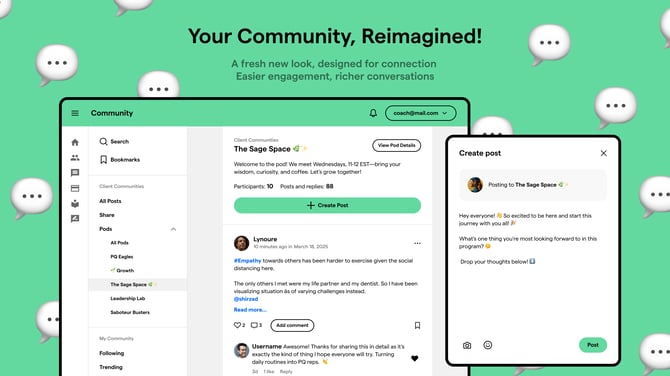
Coach Dashboard Community Updates
We’ve refreshed the Coach Dashboard Community experience to help you connect, navigate, and support your clients more easily.
🌟 What’s New
- New look and feel: The Community feed now has a cleaner design that makes it easier to follow conversations and stay inspired.
- Simplified communities: The Support community has been removed. Questions and feedback now belong in their dedicated community spaces, so it’s easier to find the right place for your inquiries.
-
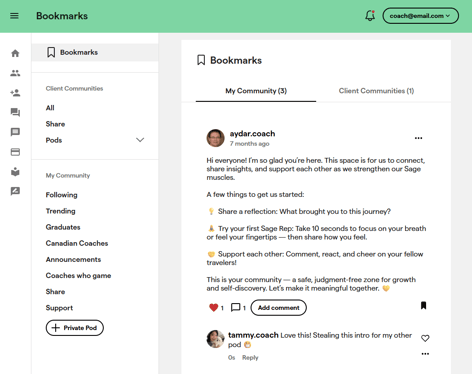
🔖 Bookmark your posts: Save posts you want to revisit later. Your bookmarked content helps you stay organized and quickly return to valuable discussions.
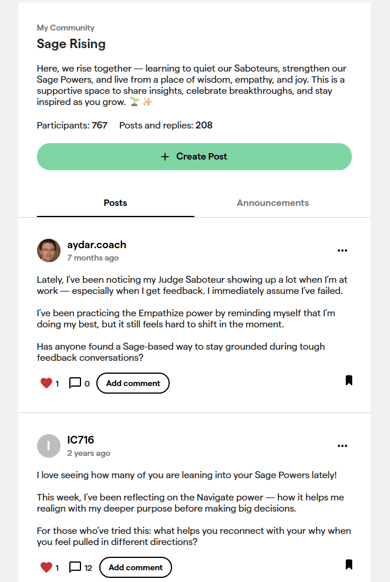
- Announcements made easy: Important updates can now be found in the Announcements tab within each community group — so you never miss key news.
- 🎉Add your personality: You can now include emojis when creating a post! Express yourself, share wins, and bring more positivity into the feed.

- Seamless pod access: You can now open your client pod details directly from each community channel. View all pod members and their PQ Program engagement in one place, then switch back to the Community with a single click.
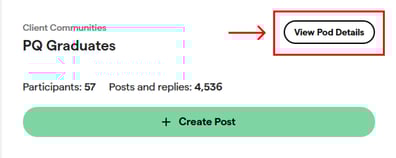
Example of client community where you can have quick access to the pod details.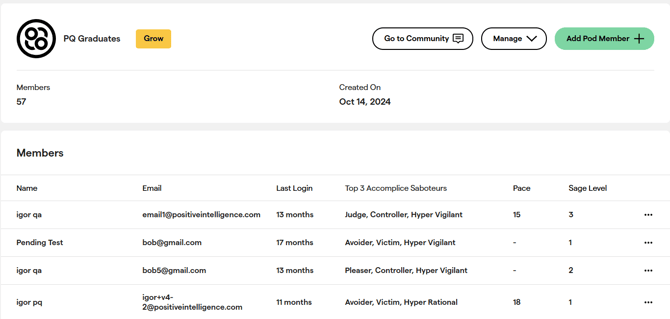
Enhanced Coach Profiles
Coaches can now personalize their profiles with additional details such as:
- Coaching focus & niche
- Location
- Professional Certifications
- Social accounts (Facebook, X, LinkedIn, etc.)
- And more
These enhancements make it easier for coaches to connect meaningfully. Updated profiles are now visible within communities.
How to Update Your Profile
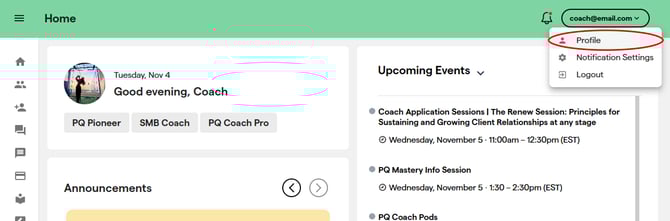
View and edit your coach profile by selecting Profile in the menu dropdown.
Example of a coach profile.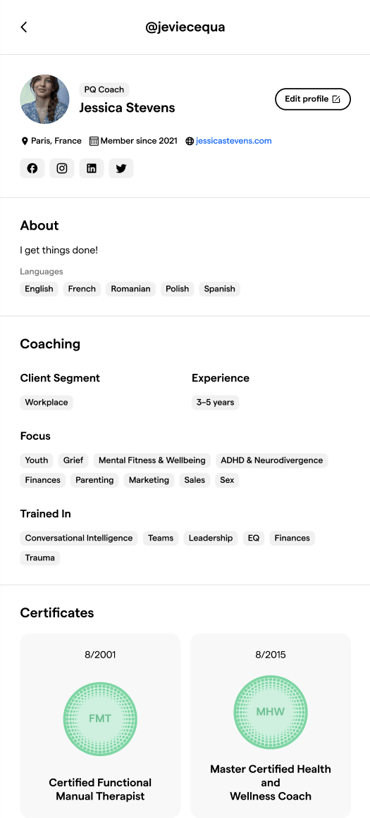
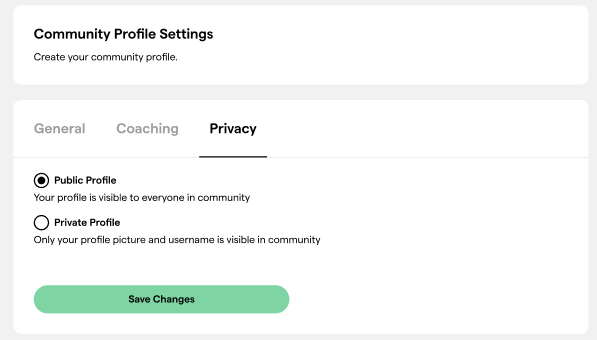
You can also control who sees what by adjusting your settings in the Privacy tab.
Thank you for being part of our coaching community. Keep an eye on this section of the Support site for the latest enhancements — exciting updates are coming soon!