
![PQ-Logo-Primary-Lockup-TM-1.png]](https://coachsupport.positiveintelligence.com/hs-fs/hubfs/Logos/PQ-Logo-Primary-Lockup-TM-1.png?height=50&name=PQ-Logo-Primary-Lockup-TM-1.png)
As we introduce Launchpad to all of the cohorts, there could be some coaches who did not participate in the Beta version of the New PQ Program toward the end of 2024.
If you didn't participate in Beta, you're still able to restart yourself in the newest version of our PQ Program.
Follow these steps:
-
Log into the PQ app using your the email address and password you use for the Coach Dashboard.
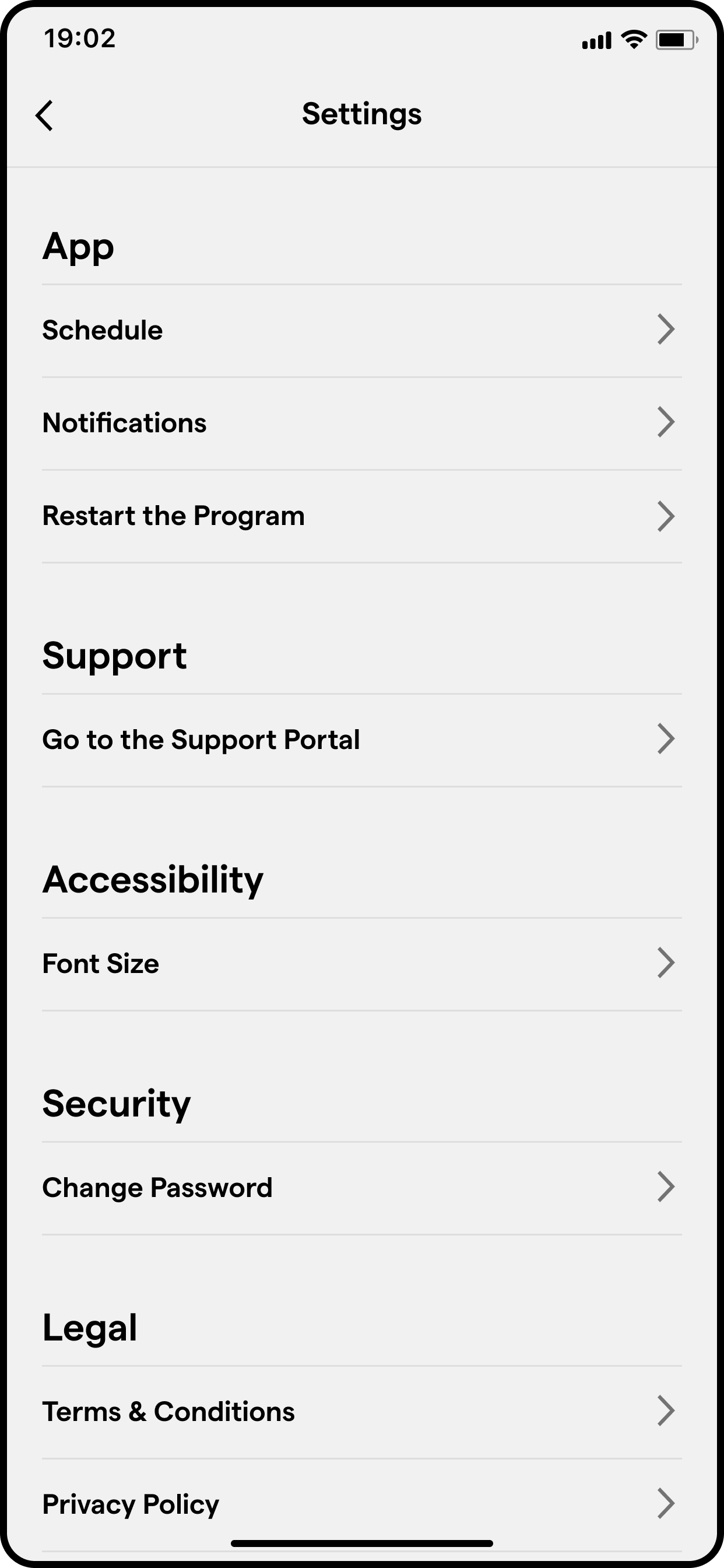
- Go to Profile -> Settings (gear icon at the top right corner)
- Click Restart the Program
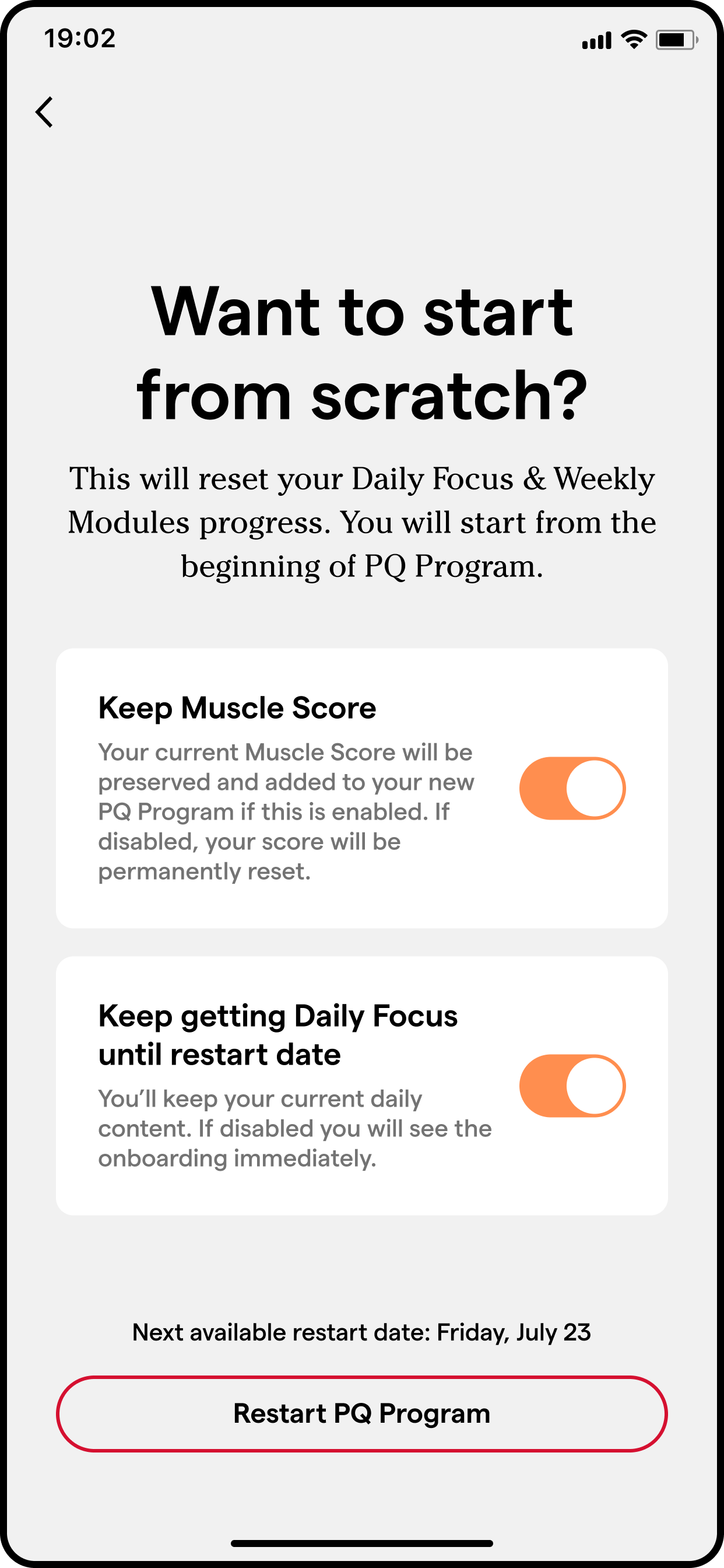
Next, you'll see the “Want to start from scratch?” screen.
From there, you'll have a choice on what you want to do with your Muscle Score progress.
-
Toggle on (orange) to Keep your Muscle Score
- Toggle off (grey) to permanently reset your Muscle Score
You'll also decide on how you want to navigate the time between resetting your program and the nearest start date.
-
Toggle on (orange) to keep your Daily Focus until the start date of your program
- Toggle off (grey) to begin onboarding a new participant would, without daily content
As a reminder, clients will not have the option that you do as a PQ Coach. If they want to restart their program, they would need to reach out to you to reset it in the Coach Dashboard.